StockChecker turns supplier prices and the recipes in your head or notebook into clear menu decisions: what each dish costs, which prices need fixing, and where money is leaking.
$16.30
At $34, each sale misses your 35% target. Price near $46.50, or fix the recipe before more profit leaks out.
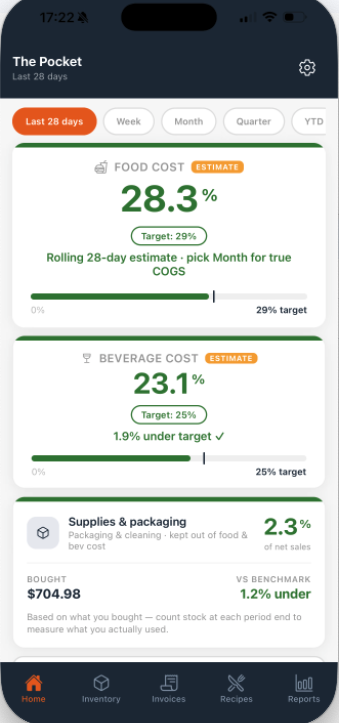
Open the app and see the numbers you usually have to chase: what food is costing you, whether drinks are on track, and if packaging or cleaning supplies are creeping up.
See if food, drinks, or supplies are drifting before they turn into a month-end surprise.
StockChecker joins the prices you pay to the recipes you sell. You can see what each dish costs, what stock is on hand, and where profit is leaking before another menu cycle goes by.
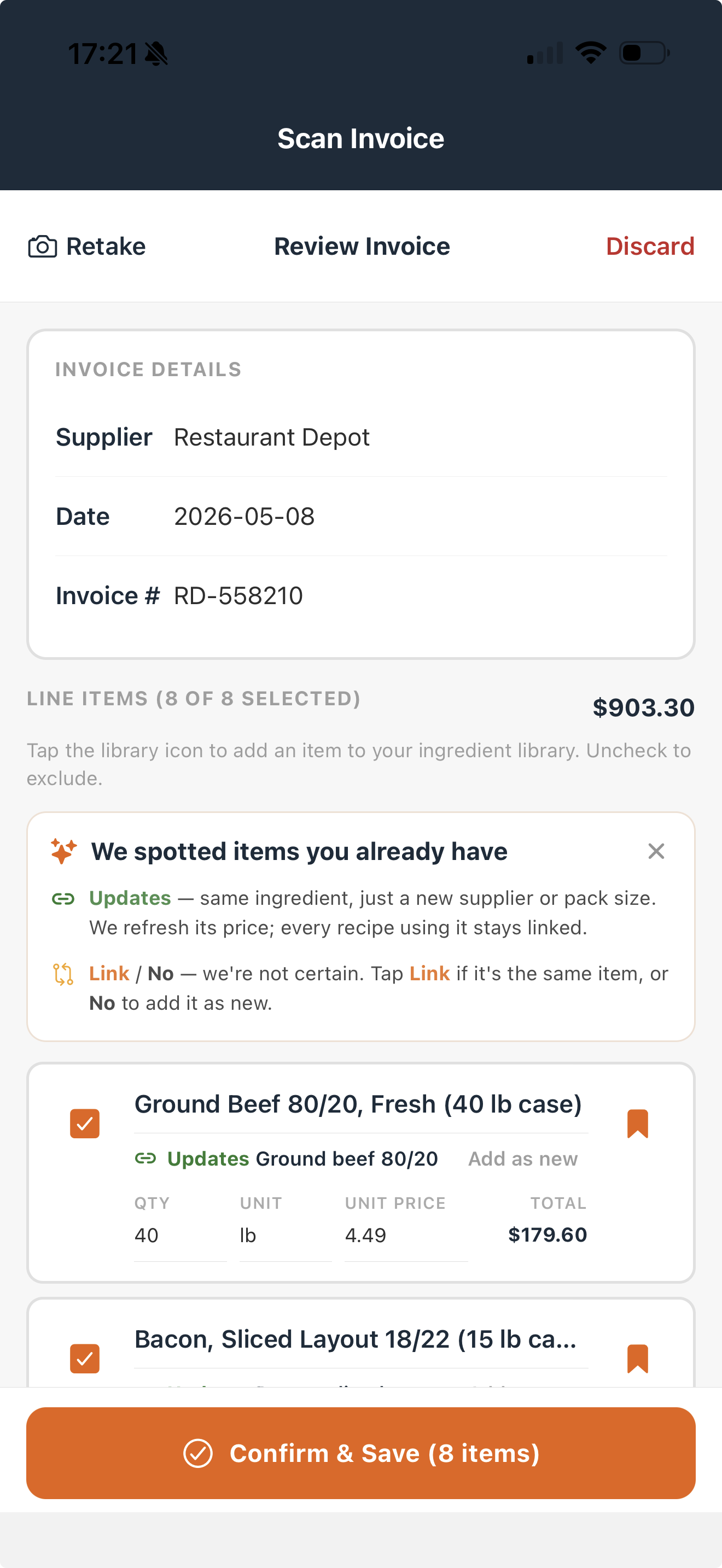
Take a photo, check the lines, and approve the prices that should update your ingredient list.
Speak, scan, or type the dish. StockChecker shows cost per portion, food cost, and margin.
See food cost, pour cost, packaging, and supplies together so you know where to act first.
Stock counts show what you have left, so you can see what you used, not just what you bought.
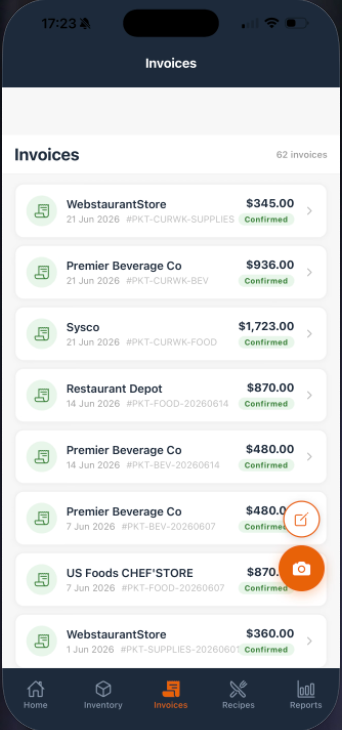
Confirm an invoice once and those prices are ready for recipes, dashboard checks, and reports.
Take a photo of the invoice, check what StockChecker found, and save the prices you trust. Your recipes then use today’s costs instead of old guesses.
Before you run the new dish, you can see what it costs and whether the price protects your margin.
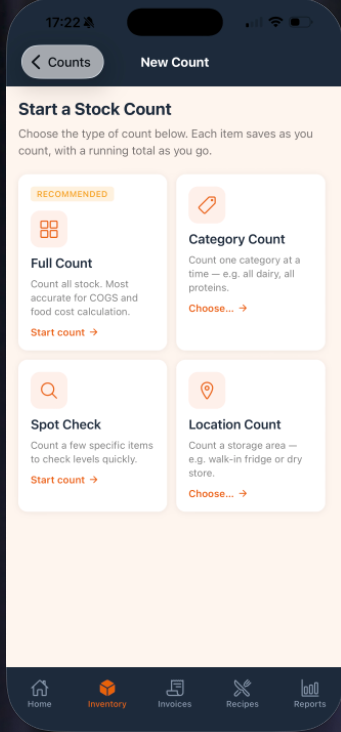
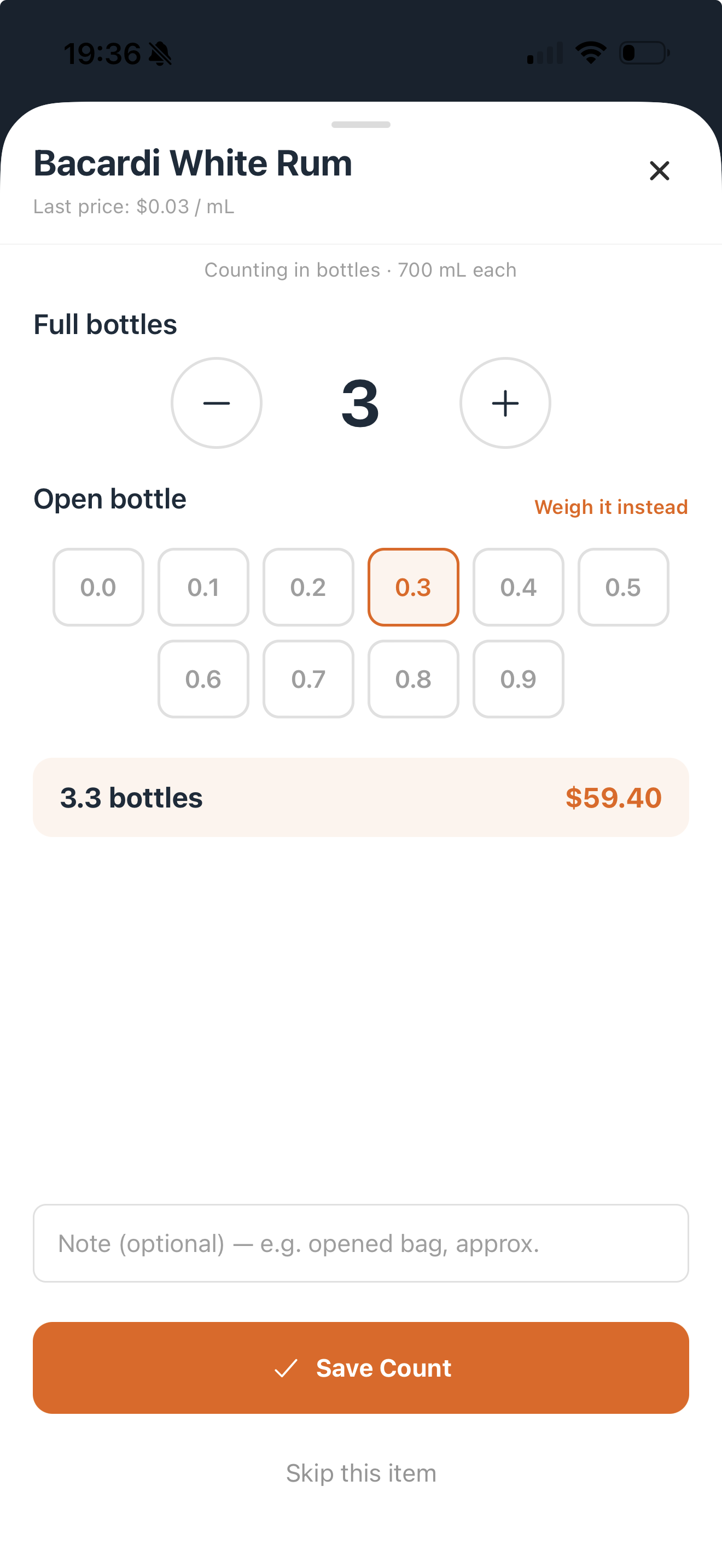
Use your phone, barcode scan, and simple count controls so stocktake does not sit on paper for days.
Food, drinks, packaging, and stock all feed one clear picture, so you can fix the right thing first.
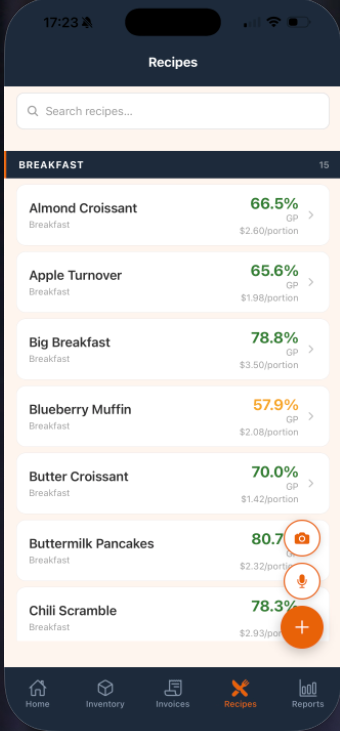
Add a recipe once and StockChecker shows the cost per portion, selling price, and whether that dish is priced safely using your latest invoice prices.
See the cost before the item hits the menu, then change the price, portion, or recipe while it is still easy.
A dish can look popular and still drain profit every time it sells. StockChecker shows the cost, the target, and the price that would put it back in range.
"Big breakfast, two eggs, bacon, sausage, sourdough, hash brown..."
Speak it or photograph it, check the ingredients, then save it as a recipe you can cost.
Tell StockChecker the dish, or photograph a written recipe. It turns the ingredients into something you can check, price, and save.
If the invoice shot is unclear, retake it first. You only save the prices after you have checked them.
If a recipe needs something new, add it and keep going. You can replace rough prices when the real invoice arrives.
If one supplier calls it “ground beef” and another calls it “beef mince,” StockChecker helps link it to the same item.
If a cost is not final yet, it is marked clearly so you know what still needs an invoice, sale, or stock count.
Cocktails, pour cost, liquor invoices, and bottle counts sit beside food, not mixed into food cost.
See food cost, drink cost, purchases, supplies, COGS, and low-margin recipes without digging through spreadsheets.
Use your device to count stock where it sits: the bar, fridge, dry store, or one expensive item you want to check now. No loose paper, no retyping it later.
One or two locations. A small team. Big pressure on every dollar. StockChecker is for the person who sees the invoices, knows the recipes, and still has to make service work.
Scan an invoice, check the lines, and save the prices you want your recipes to use.
Cost menu items, prep batches, and drinks so you can price them before they hurt your margin.
Find items fast, count bottles or ingredients, and save each line as you go.
Open the app and see where your main costs sit, instead of chasing separate notes and spreadsheets.
See when a dish is priced too low, a cost has moved, or a recipe is slipping past your target.
Track bar stock, bottle counts, and drink recipes separately so your food numbers stay clean.
Keep takeaway boxes, napkins, and cleaning supplies visible without mixing them into recipe costs.
See weak dishes, rising purchases, and cost changes first, so your next action is obvious.
StockChecker is made for the team that needs clear numbers quickly: scan invoices, cost recipes, count stock, and see what needs fixing.
| Typical large systems | StockChecker | |
|---|---|---|
| Price | Often $199-$350+ per month | From $79/mo |
| Start | Usually demo, setup, and training first | Start with one invoice and one recipe |
| Input | Often built around desktop data entry | Use camera, voice, barcode, then review |
| Built for | Designed around back-office teams | Made for owners, chefs, and small teams |
| Costs | Food, bar, and supplies may sit in separate places | Food, drinks, and supplies stay clear in one app |
Multi-seat plans for restaurant, café and bar businesses. All features included. No setup fees, and monthly plans you can cancel anytime.
For a small business team getting its costs under control.
For an owner, chef, manager, or second site working together.
For growing business teams working across multiple venues.
You won't be charged until you choose a plan at the end of your trial. Cancel anytime.
Every plan includes all features, including voice and scanned recipes. Choose the seats and locations your business needs.
StockChecker is for the cafe, bar, bakery, or restaurant that needs clear numbers without another spreadsheet project. Start with the invoices and recipes you already have, then see which prices, dishes, and counts need attention.
Yes. Start with one invoice and one recipe. The first win is recipe cost per portion and food cost %. The full business food-cost picture gets more accurate as you add invoices, sales, and stock counts.
No. Scanned invoices are shown back to you first. You can edit quantities, units, prices, and product matches before saving.
You can quick-add it, mark it estimated, or leave it as needing a price. The recipe stays usable, and the app makes soft numbers clear until a real invoice replaces them.
Voice and scanned recipe extraction need an internet connection because they use AI processing. Barcode scanning is on-device, and offline stock-count sync is part of the product roadmap.
It handles both. Beverage pour cost, cocktail recipes, liquor invoices, and partial-bottle counts are tracked separately from food cost.
Tap "Start 14-day free trial" and create your account in seconds — no card needed. As soon as your trial is running we send you straight to the App Store or Google Play to install the app and sign in. The same account works across your team based on your plan.
Business plans start at $79/mo for Pro, with 2 users and 1 location. Team and Growth add seats and locations. All plans include all features. Choose and manage your plan on the website; the mobile apps are free companions for your business and its team.
Start with an invoice and a recipe you already know. StockChecker shows what it costs, where the price is wrong, and what to do next.